In my previous post, “How to Make Ideas Grow into a Project – From Vision to Project Teams,” I describe how ideas mature into a clear project assignment. Once the sketch that calls for a solution is on the table, a core team takes ownership. With the project defined, the team can start using an Objectives & Expected Outcomes poster as a practical alignment tool.
Setting up a project quickly and effectively, even with limited information and imperfect resources, challenges professionals. In a fast-changing world, collaboration within evolving projects is essential. That demands flexibility: core team members must be willing to adapt as the situation unfolds. Because collaboration between people with different mindsets and backgrounds is rarely straightforward, teams need a goal-driven, no-nonsense approachto structure and run a project. A simple, visible framework—one that works for everyone involved—creates clarity, alignment, and trust.
Make up the ProjectTable: make a clear project structure as a visual anchor for the core team
The core team needs to get to work quickly, focusing on developing systems (products and services) that respond to the stated needs. Creating plans and documents that remain unused is not an option. The team starts by visualizing a defined workspace (physical and/or virtual) and implementing the required management tools.
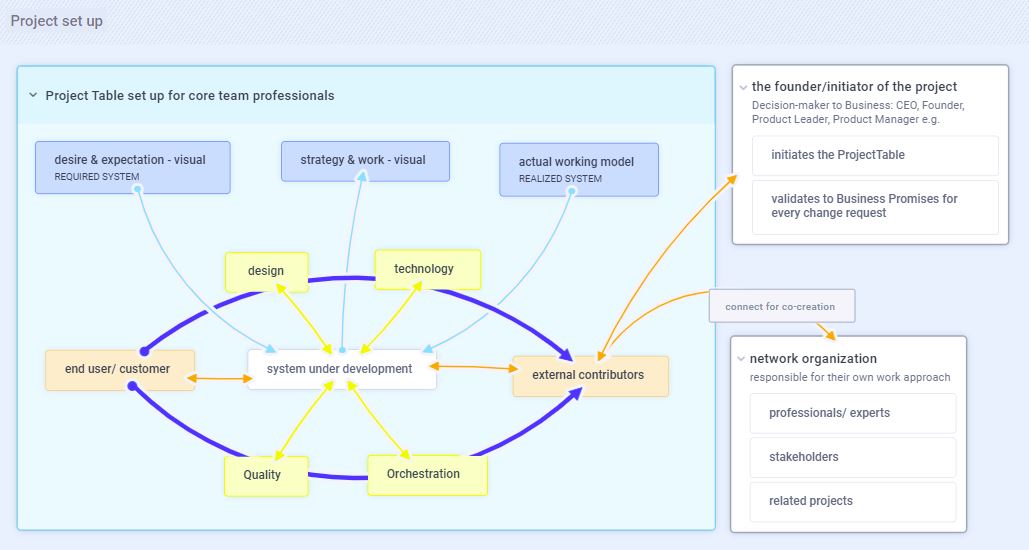
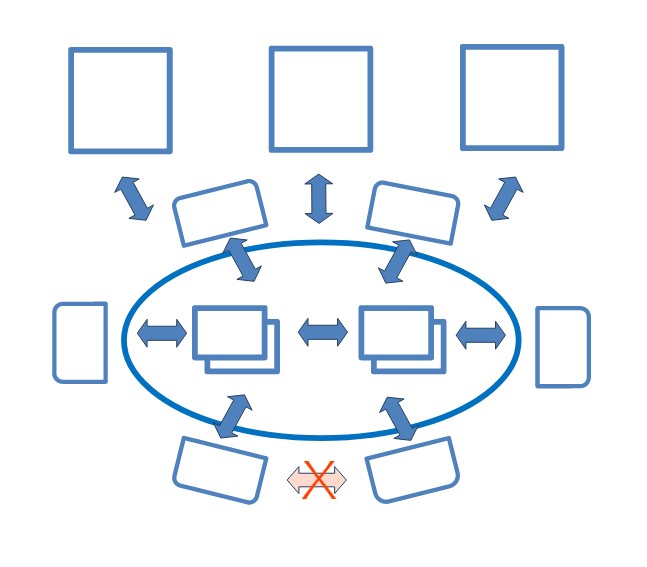
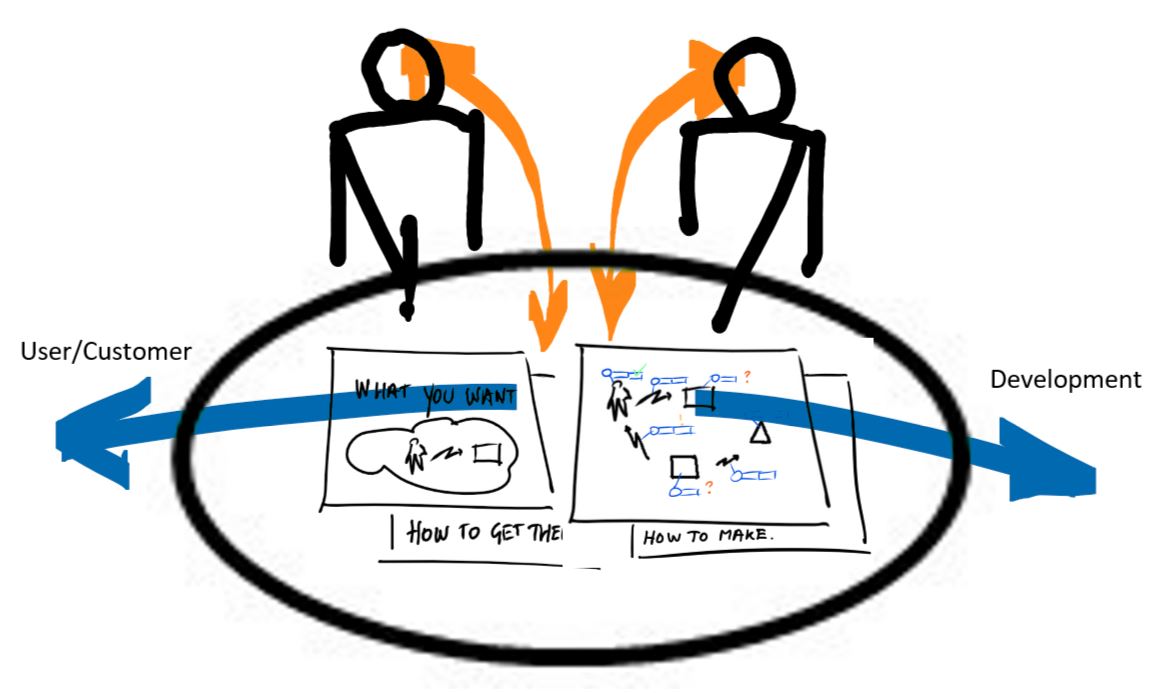
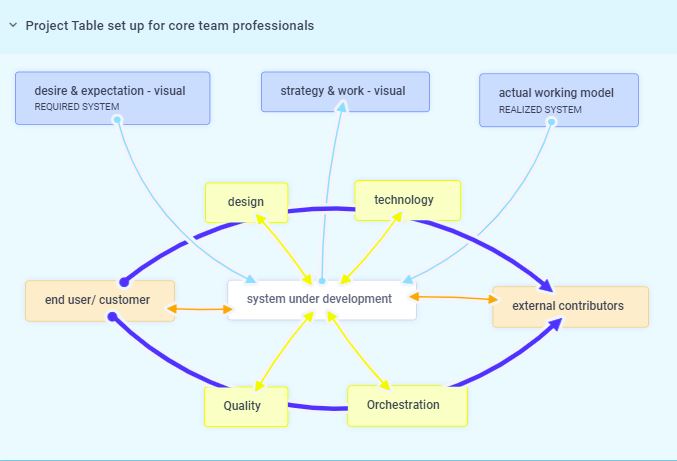
Around the table, project participants take their seats at the center of the table, representing the four core expertise areas required to execute the project (core team structure). At the top, the customer, user, and external parties are imaginarily represented. The visualization makes it clear how roles are assigned, how the team connects to the project founder or initiator, and the relationships with stakeholders, experts, and related projects.
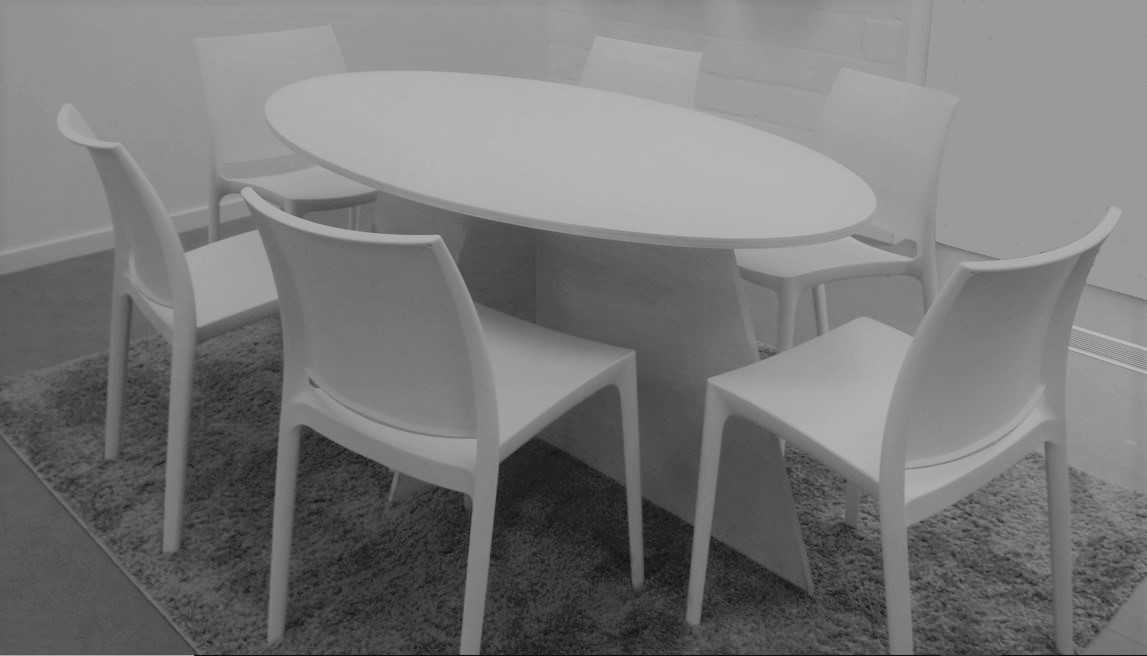
The Physical experience at the Project Table - photo by Patrik Mariën
At the table, three visual instruments represent:
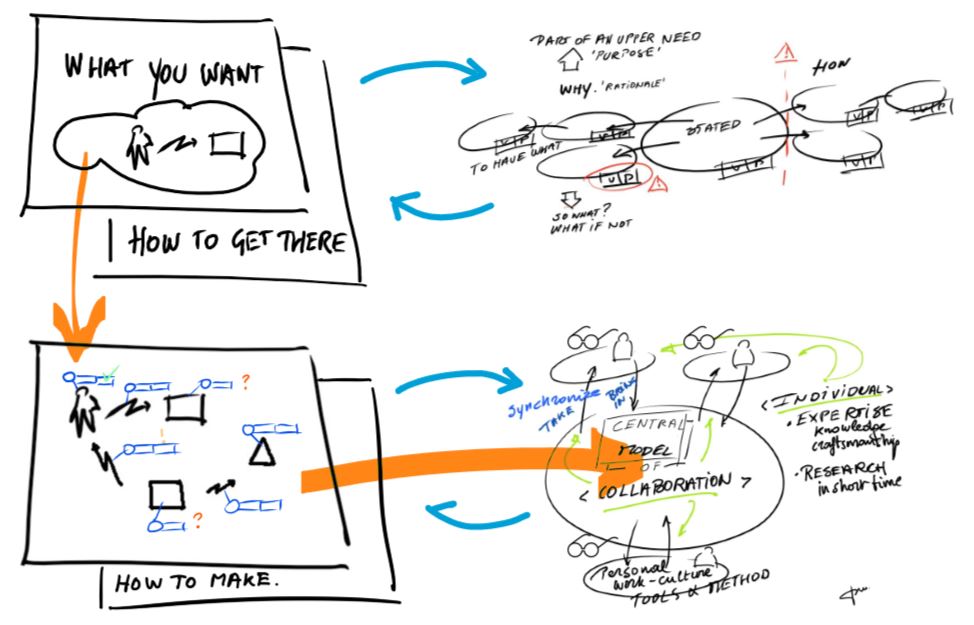
Desire: what needs to be realized and why, including context and expectations.
Intention:the intended result at a given moment and the work in progress to achieve it, represented as a strategic plan of working models, with defined quality levels, delivery timing, and key moments such as tests and reviews.
Realization: the tangible output the team has actually produced: working models with concrete, observable properties.
Together, these visual references support reviews and discussions about progress and impact, including the effect of changing questions on timing.
Keep the visualization simple yet effective, so that those involved need no more than three minutes to explain and understand the management tools, and no more than thirty seconds to regain a clear overview.
On the table, a situation drawing of the system under development is placed at the center. It represents the current subject or theme and serves as the central model for conversations within the team and with those involved.
Once these essential elements are in place, communication becomes focused and enables simultaneous efforts across everyone involved.
Run het project.
The ProjectTable
The ProjectTable is a visual anchor and open space for the project to handle and think, to feel safe with artefacts as visual statement of stability.
The oval table invites to participate in the project with constructive behaviour, without expecting anyone to change their personality or work style.
The experience at the (project) table is similar to a family table: people feel recognized, seen, and aware that they belong. Unspoken rules shape relationships and influence behavior—both of family members and guests. When you are invited to a family table, you immediately sense these rules and adjust your behavior accordingly.
The same applies to the ProjectTable. It belongs to the core team. External parties join only by invitation from a team member, while other core team members are free to join the conversation at any time. To keep the experience at the ProjectTable healthy, the core team needs a strong figure who safeguards the rules: being on time, using the agreed tools, showing consideration, and supporting one another. These are table manners that should not be weakened when insecurity arises within the team.
The team
The ProjectTable makes the team structure visible by focusing on only the roles that are essential. The core team is kept small, consisting of two to four people responsible for design, technology, quality, and orchestration. Team quality is defined by personal intention rather than job title. Each team member takes ownership of a knowledge domain and actively connects with stakeholders to fulfill one or more roles.
The role of quality is usually not assigned to a single person. Instead, the team collectively monitors the chosen approach and connects quickly with experts when needed—for standards and regulations, certification, licenses and patents, and contractual matters.
The role of design shapes ideas into solutions through visualization. It requires expertise in concept design, interaction design, and visual design.
The role of technology is taken by someone with a strong affinity for technology and requires expertise in design engineering, systems engineering, systems architecture, materials, and production processes.
The role of orchestration connects expectations, strategy, and method. It enables the team to move through the project together, protected from disruptive external pressure and guided to work in a focused and intentional way. This role requires insight into innovation, research, and development, and is rooted in servant leadership: enabling collaboration and encouraging the team to engage stakeholders in co-creation.
Team members are not expected to always be “the best.” When someone struggles, the team supports each other and can draw on a shared network of experts.
No team member is ever alone with a problem. Everyone is involved in managing the project and its tasks. Each individual matters, and everyone has the opportunity to learn and grow.
Communication, communication, communication!
The team owns the ProjectTable and uses it—physically or virtually—as the central space for all project-related conversations.
At fixed moments, the team comes together briefly. These short check-ins are used to reconnect, confirm availability, place new findings in context, set priorities, ask for help, and coordinate individual work and collaboration. Afterwards, the team intentionally lets go, so everyone can continue working without interruption.
Team members can sit down at the table at any time—physically or remotely—to work or prepare something. Being at the table also signals that they are approachable at that moment for other core team members.
Any team member may invite others to the table: to work together on a topic, to discuss a situation at the request of those involved, or to address obstacles. Other core team members are free to join the conversation without needing an invitation.
Conversations at the ProjectTable are face-to-face, either in person or via video. Email is not used as a communication channel in this context. External parties may be invited to the table to share or explain their insights.
The core team decides whether new findings belong in the system under development. Each trade-off considers all positions at the table, including the perspective of those not present. Anyone who needs to be informed can be invited to the table for that purpose.
The team’s attitude is one of direct connection: engaging with the wider network, meeting people face-to-face, supporting one another, and actively sharing knowledge.
Core team members use visual sensemaking to structure conversations and place the continuous flow of information in the right context. This helps them see situations clearly, set expectations for understanding and testing, explore design and operational needs, and decide when to involve experts.
Communication always involves three elements: at least two people and what is on the table – the visual representation of the conversation, the situation, and the system. The table connects the user or customer (focus on value) with development (focus on results). The core team brings users and experts together around the shared situation to be created. Everyone respects the rule: “What has not been on the table is not part of the project. What comes onto the table is confidential.”
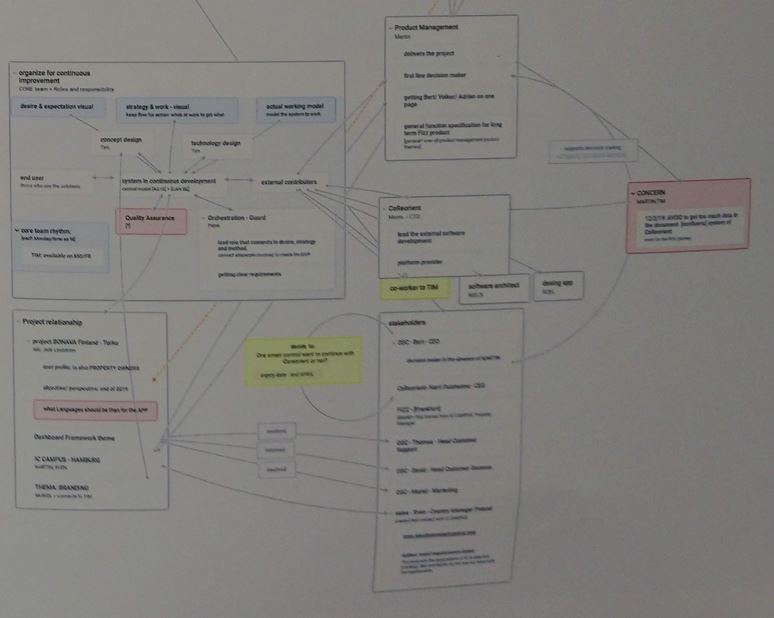
ProjectTable set up example - network and information flows - from practice, Patrik Mariën
Documentation
All project intelligence is captured in system and model descriptions, a log of reviews and decisions (including context sketches of the associated discussions), and all relevant system drawings. This ensures that every team member has instant access to the ‘why’ and ‘how’ of the project.
The ‘ProjectTable setting’ transforms standard meetings into high-impact collaboration, eliminating unnecessary bureaucracy and redundant reporting.”
A Professional Triber is the designated figure responsible for setting up the project in this manner and ensuring its continuity.
The project is set up according to a clearly recognizable pattern. In our next post, the core team will receive the tools needed to develop systems and inspire other professionals to join the journey.